
• click here to return to the homepage •

Home > Categories > Computer Hardware > Removable Storage Devices > OneTouch 4 Lite review



Automated OneTouch Backup
Back up your files with a push of a button or set up the software to perform convenient automatic backups.
USB 2.0 Interface Plug and play.
Simply connect using the USB 2.0 cable and get up and running fast.
Huge Capacity
Add enormous capacity instantly. Stores up to 240,000 digital photos, or up to 750 hours of digital video, or up to 12,495 hours of digital music. (Applies to 750gb model)
Top Speed
7200 RPM, 16 MB cache buffer For fast drive performance, seamless data exchange, and instant access to your files.
Easy to Use
Interface simplifies drive management and backup scheduling. Simple setup, just plug it in, connect the USB 2.0 and your Maxtor OneTouch 4 drive automatically appears on your desktop.
 OneTouch 4 Plus
 OneTouch 4 Mini
 OtterBox for iPod Video
 Headset with Mic - Deluxe
 Wireless Presenter with Cursor Control - AMP06US
 Pixma MP270 MFC
 Intel Core i5-750 Processor
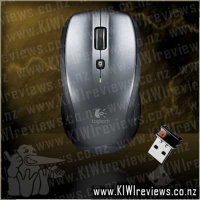 M515 'Couch Mouse'
 Thermaltake Tsunami Dream VA3000BWA case
 Logitech Wireless Desktop MK710
 Lexar JumpDrive M20c USB Type-C flash drive
 Crucial MX500 1TB SATA 2.5-inch 7mm Internal SSD
 D-Link 6-Port 2.5G Network Switch - DMS-106XT
 PNY CS2140 M.2 NVMe Gen4 x4 1TB SSD
Product reviews...
Members are welcome to post a review. You will need to log in to post yours.

Review by: craftmadhermit (Tess)
Dated: 7th of February, 2008


Just what I've been needing for quite some time. My laptop was rapidly running out of space with all the photos I've been storing on it, and I don't like just having CD/DVD backups of them, so I'd been thinking it was time to get myself an external hard drive, when this little beast came along. So easy to install, I've used it with both my main desktop PC and my laptop, and in both cases it was simply a "plug'n'go" exercise without a single glitch. The only possible downfall I can see with having this particular external hard drive is simply the need for a power source, taking away some of it's "portability", but even that's a small price to pay considering the storage space it gives, it's relatively small size (though again a little bit bulky when it comes to being ideally portable), and as I mentioned before, the ease of use. Another bonus was definitely the speed with which it copied photos/files from the computer onto the hard drive- the amount of photos I downloaded in one go the first time round would normally have taken probably around half an hour or more if I'd been going from camera card to laptop. In this case, it took just under 15 minutes for 14.2GB! And so much easier than having to muck around with camera cards or pen drives etc. For my first external hard drive, this one has definitely been a dream to use and one I'd strongly recommend taking a serious look at if you're in the market for one.
Random listing from 'Computer Hardware'...
 Experience the Arc Touch Mouse: there is no equal in look, feel, and performance. With a dramatic design and easy elegance, this stylish mouse is a perfect fit for your lifestyle. Flick to zip down the page. Tap to stay at your destination. Feel the speed and responsiveness to your touch.
• ... more...


 All trademarks, images and copyrights on this site are owned by their respective companies.
KIWIreviews is an independent entity, part of the Knock Out News Group. This is a free public forum presenting user opinions on selected products, and as such the views expressed do not necessarily reflect the opinion of kiwireviews.nz and are protected under New Zealand law by the "Honest Opinion" clause of the Defamation Act of 1992. KIWIreviews accepts no liability for statements made on this site, on the premise that they have been submitted as the true and honest opinions of the individual posters. In most cases, prices and dates stated are approximate and should be considered as only guidelines.
"Small opportunities are often the beginning of great enterprises."
Demosthenes